Power grid stocks dashboard Excel - if that is what brought you here, you are looking at the same question every fundamental analyst and portfolio manager is wrestling with in mid-2026: how do you track every public name that benefits from the AI electricity buildout, in one workbook, without losing the differences between an Independent Power Producer (IPP), a regulated utility, a grid equipment maker, and a transmission EPC contractor. This post walks through a brand new premium dashboard template (free to download) that does exactly that, and explains how it is constructed using live MarketXLS formulas.
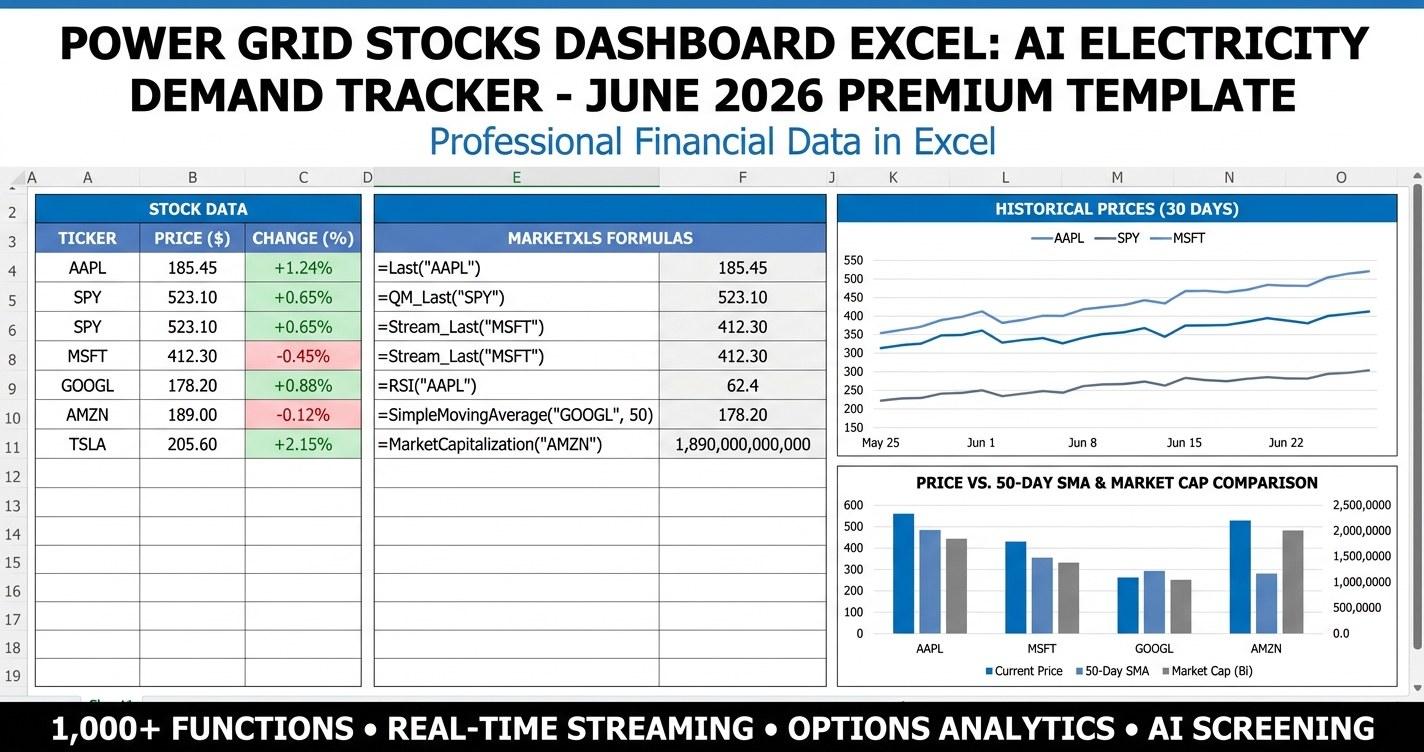
Power grid stocks dashboard Excel template - AI electricity demand tracker premium dashboard
The AI capex cycle has turned the power grid from a sleepy yield play into one of the most discussed parts of the equity market. Hyperscaler data center load is reshaping power purchase agreements (PPAs), regulators are rewriting integrated resource plans (IRPs), transformer lead times are pushing past two years, and the engineering and construction firms that actually pour the foundations are reporting backlog book-to-bills above 1.3. A single dashboard that holds the four sub-sectors side by side - and lets you compare them across the same valuation and demand-exposure metrics - is the natural answer.
Power Grid Stocks Dashboard: The Universe At A Glance
Below is the universe the dashboard tracks (June 2026 snapshot). Eighteen tickers across four sub-sectors. Mix and match, screen, or compare side by side.
| Ticker | Company | Sub-Sector | Why It Belongs |
|---|---|---|---|
| CEG | Constellation Energy | IPP / Merchant Nuclear | Largest US nuclear fleet, multiple disclosed hyperscaler PPAs |
| VST | Vistra Corp | IPP / Merchant Nuclear | Texas merchant + nuclear, data center co-location pipeline |
| NRG | NRG Energy | IPP / Merchant Nuclear | Retail + merchant exposure, Texas grid leverage |
| TLN | Talen Energy | IPP / Merchant Nuclear | Susquehanna nuclear, behind-the-meter agreements |
| NEE | NextEra Energy | Regulated Utility | Florida franchise + NextEra Energy Resources renewables |
| DUK | Duke Energy | Regulated Utility | Carolinas / Florida data center corridor exposure |
| SO | Southern Company | Regulated Utility | Vogtle nuclear additions, Southeast load growth |
| AEP | American Electric Power | Regulated Utility | Largest US transmission footprint by miles |
| ETR | Entergy | Regulated Utility | Gulf Coast industrial + data center wins |
| ETN | Eaton | Grid Equipment | Electrical components, switchgear, data center backbone |
| GEV | GE Vernova | Grid Equipment | Pure-play grid + power generation, transformer backlog |
| HUBB | Hubbell | Grid Equipment | Utility-grade equipment, transmission components |
| EMR | Emerson Electric | Grid Equipment | Process / automation, grid software exposure |
| ROK | Rockwell Automation | Grid Equipment | Industrial automation tied to utility capex |
| PWR | Quanta Services | Transmission EPC | Largest North American transmission EPC contractor |
| MYRG | MYR Group | Transmission EPC | Pure-play T&D, smaller-cap leverage to backlog growth |
| EME | EMCOR Group | Transmission EPC | Mechanical / electrical construction, data center mix |
| FLR | Fluor Corp | Transmission EPC | Diversified EPC, nuclear and grid project exposure |
This is the cohort the dashboard's screener, scenario analysis, allocation, and correlation sheets are built around. Every cell in the template references the same eighteen tickers so the dashboard reads consistently across sheets.
Why A Premium Dashboard, Not Just A Screener
A flat screener tells you the cheapest name. A dashboard tells you the structure of the opportunity. The power grid trade is not a single ticker - it is four sub-sectors that move on different drivers:
- IPPs / merchant nuclear re-rate on PPA announcements. One signed long-tenor contract with a hyperscaler can lift a multiple by ten turns.
- Regulated utilities re-rate on tariff approvals and capex guides. They are duration-sensitive bond proxies with a load-growth kicker.
- Grid equipment re-rates on backlog book-to-bill and transformer lead times. The constraint is physical.
- Transmission EPC re-rates on backlog growth and labor availability. Margins matter more than top-line.
The premium template builds the four lenses into one workbook so an analyst can see, on one page, where the cohort is hottest and where it is lagging - then drill into scenarios, allocation, and methodology to act on the read.
What Is Inside The Premium Template
The workbook ships with eleven sheets. Each one is presentation-ready - the goal is a dashboard you could put in front of a client or an investment committee, not a raw screener.
1. Cover
Branded cover page with the title, edition stamp (2026 v1.0), data-as-of date, and a numbered table of contents. Gridlines hidden, navy header band with a yellow accent line, no data on the cover. Purpose: when the file opens it looks like a designed product, not a worksheet.
2. How To Use
Step-by-step walkthrough of the workbook. Each step explains an input or a sheet and what it controls. The MarketXLS formula reference block lives at the bottom: every formula used anywhere in the template, with a one-line description of what it returns.
3. Dashboard
The headline sheet. Top of the page is a row of six KPI tiles - universe size, average AI demand score, top market cap, best year-to-date performer, average dividend yield, and a heatmap legend. Below the tiles sits the power grid universe screener with conditional formatting applied to four columns: AI demand score gets a three-color heatmap (red to amber to green), year-to-date is color-scaled and decorated with directional arrows, market cap gets a data bar, and the 52-week range column gets a navy progress bar. Two charts render the sub-sector aggregates - a bar chart of average AI demand score and a pie chart of market cap share.
4. Inputs
The control panel. Yellow input cells with navy borders for portfolio size, AI demand scenario (Conservative / Base / Aggressive dropdown), risk tier (Conservative / Moderate / Aggressive dropdown), minimum market cap filter, minimum AI demand score filter, and four sub-sector allocation weights. A ticker watchlist with dropdowns lets you pin custom names. Risk-tier position caps are documented as plain text so the rules are visible at a glance. Every other sheet reads from this one.
5. Scenario Analysis
Each ticker re-priced under Conservative, Base, and Aggressive AI demand scenarios. Conservative assumes 2.5% annual data center load growth, Base 4.5%, Aggressive 7.5%. The upside columns are color-scaled red to white to green, with arrow icons on the Base case and a data bar on the Aggressive case. A column of plain-English trigger catalysts documents what would have to happen for each ticker to reprice into the higher band.
6. Strategy
A six-rule playbook keyed to verifiable data points - PPA announcements for IPPs, tariff approvals for utilities, backlog book-to-bill for equipment, backlog growth for EPC, plus two cross-sector rules tied to yield curve shape and the average AI demand score. Each rule lists an entry trigger, a position-size rule, an exit / risk rule, and a one-line "why this rule" justification. Educational only, not investment advice.
7. Portfolio
Position sizing. Reads the portfolio size and sub-sector weights from the Inputs sheet, splits each sub-sector evenly across its members, pulls a live price via QM_Last, rounds to whole shares, calculates annual dividend income, and totals it all. A donut chart visualizes the allocation by sub-sector. A dividend cadence table tells you when each cohort tends to pay.
8. Correlation
A 4x4 daily-return correlation matrix across the four sub-sectors with a red-to-green color scale, plus a side-by-side metric comparison table with the best and worst sub-sector tagged for each row. A column chart visualizes the average AI demand score across sub-sectors.
9. Methodology
A one-page explainer of how the AI Demand Score is built (data-center PPA exposure 35%, behind-the-meter capacity 20%, equipment backlog book-to-bill 15%, transmission EPC pipeline 15%, capex growth rate 15%), what feeds each component, how the Scenario Analysis fair value bands are derived, and where every live data point comes from.
10. Glossary & Disclaimer
Definitions for IPP, PPA, behind-the-meter, book-to-bill, capacity factor, EPC, switchgear, transformer, rate case, regulated utility, AI Demand Score, and Fair Value Band - then the educational-only disclaimer.
11. MarketXLS Functions Master Reference
Every MarketXLS formula used anywhere in the workbook, with syntax and a one-line description, so a user can lift formulas into their own spreadsheets.
How The AI Demand Score Is Built
The score (0 to 10) is the single most important column on the Dashboard. It is what differentiates a name with theoretical AI exposure from a name with disclosed, contractual exposure. The weights:
| Component | Weight | What It Measures |
|---|---|---|
| Data-Center PPA Exposure | 35% | Disclosed long-tenor power purchase agreements with hyperscalers |
| Behind-the-Meter Capacity | 20% | Megawatts co-located with data centers, bypassing transmission |
| Equipment Backlog Book-to-Bill | 15% | Latest quarter book-to-bill on transformer, switchgear, breaker, cable orders |
| Transmission EPC Pipeline | 15% | TTM backlog growth plus committed-not-yet-recognized projects |
| Capex Growth Rate | 15% | YoY change in capital expenditure guide, normalized to asset base |
Each component is scored on a 0-10 scale against the cohort and weighted-summed. The Methodology sheet documents the construction; the Dashboard surfaces the result; the Scenario Analysis sheet stress-tests it.
The composite is a structured judgment overlay, not a quantitative signal. It is meant to be refreshed quarterly with new filings and earnings transcripts. The objective is not precision - it is consistency: ranking eighteen tickers with the same rubric, every quarter, beats trying to remember which name disclosed what on which call.
Power Grid Stocks Dashboard: The Approach
The educational approach embedded in the template treats the power grid as a barbell. On one end sit names whose stock price moves on a single contract announcement (IPPs and merchant nuclear). On the other end sit names whose stock price moves on a multi-year backlog ramp (transmission EPC). In the middle sit utilities (slow re-rate on tariff approvals) and grid equipment (medium-pace re-rate on book-to-bill).
A barbell makes sense because the two ends are statistically less correlated than they look. Merchant nukes trade on power prices and contract events. EPC names trade on backlog and labor. The estimated correlation between them is around 0.6 in our trailing-1Y data - high but not 1.0. The space between is where utilities and equipment sit, and they tend to drift on their own rhythm.
The template does not pick winners. It standardizes the inputs so that an analyst can take a view, encode it in the Inputs sheet, and watch the rest of the workbook recompute.
How To Build It Yourself With MarketXLS
If you want to construct the dashboard cell-by-cell, the spine is a small set of MarketXLS formulas. Verified syntax (all confirmed via the MarketXLS function documentation):
=QM_Last("CEG")               Live last trade price
=Name("CEG")                  Company legal name
=Sector("CEG")                GICS sector
=Industry("CEG")              GICS industry
=MarketCapitalization("CEG")  Market capitalization in USD
=EnterpriseValue("CEG")       Enterprise value in USD
=Revenue("CEG")               Trailing 12-month revenue
=EBITDA("CEG")                Trailing 12-month EBITDA
=EarningsPerShare("CEG")      Trailing 12-month EPS
=PERatio("CEG")               Price-to-earnings ratio
=PricePerBook("CEG")          Price-to-book ratio
=DividendYield("CEG")         Annualized dividend yield
=DividendPerShare("CEG")      Annual dividend per share
=DividendPayoutRatio("CEG")   Payout ratio
=ProfitMargin("CEG")          Net profit margin
=OperatingMargin("CEG")       Operating margin
=ReturnOnEquity("CEG")        Return on equity
=TotalDebtToEquity("CEG")     Debt-to-equity ratio
=Beta("CEG")                  Beta vs market
=ChangePercentYTD("CEG")      Year-to-date price change
=FiftyTwoWeekHigh("CEG")      52-week high
=FiftyTwoWeekLow("CEG")       52-week low
=SimpleMovingAverage("CEG",50) 50-day simple moving average
=RelativeStrengthIndex("CEG") Relative strength index
=AverageDailyVolume("CEG")    Average daily share volume
The pattern is consistent: each row of the screener pulls the live values for one ticker. The AI Demand Score is the only column that is not formula-driven - it is researched manually from filings and refreshed quarterly. Everything else updates the moment a user opens the workbook on a connected MarketXLS install.
Sub-Sector Snapshot (June 2026)
Below are the four sub-sectors with their headline characteristics as of the data-as-of date on the cover page. These are illustrative, derived from the universe table - not recommendations.
| Sub-Sector | Avg AI Demand Score | Driver Of Re-Rating | Risk |
|---|---|---|---|
| IPP / Merchant Nuclear | 9.3 | Long-tenor hyperscaler PPAs, behind-the-meter MW | Contract cancellation, capacity factor slippage |
| Regulated Utility | 7.7 | Approved IRP revisions, large-load tariff cases | Rate case denial, capex cut |
| Grid Equipment | 8.2 | Backlog book-to-bill, transformer ASPs | Supply chain easing, demand pull-forward |
| Transmission EPC | 8.6 | Backlog growth, labor availability, project mix | Labor inflation, margin compression |
The dashboard's Correlation sheet shows how the four sub-sectors co-move. Equipment and EPC correlate the most (around 0.72 in our estimate) because they share the build-out beneficiary thesis. Utility correlates least with everything else because it remains a duration-sensitive bond proxy. IPPs sit between, with high correlation to equipment (about 0.58) and lower correlation to utility (around 0.42).
How To Use The Dashboard In Practice
A workbook is only as useful as the workflow that wraps around it. The premium template is designed to be used in a weekly or monthly review cadence, not a one-time download. A practical workflow:
Monday morning - read the Dashboard. Open the file with MarketXLS connected. The KPI tiles refresh with the current universe size, average AI demand score, top market cap, year-to-date leader, and average dividend yield. The screener heatmap shows where the cohort is hot. The two charts make the sub-sector picture obvious in a single glance.
Tuesday - run the Scenario Analysis sheet. The fair-value bands are sensitive to the AI demand trajectory assumption. Walk through each ticker. If a name has a high AI demand score but a low Base upside, ask whether the market is already pricing in the buildout. If a name has a low AI demand score but a high Base upside, ask whether the model is missing something the market sees.
Wednesday - update the Inputs sheet. This is where the workbook becomes yours. Change the portfolio size to your actual investable capital. Set the scenario to whichever AI demand trajectory you believe is the most likely. Set the risk tier to your actual risk tolerance. Tilt the sub-sector weights toward the area you have highest conviction in. Every other sheet recomputes.
Thursday - check the Portfolio sheet. Are the share counts realistic? Is the dollar allocation consistent with the position-size rules from the Strategy sheet? Does the dividend income line up with what you expect from a barbell that mixes IPPs (low yield) with utilities (high yield)?
Friday - review the Correlation sheet. If two sub-sectors you are heavily exposed to are correlating above 0.7, the diversification benefit you assumed may not be there. The Correlation sheet exists to surface that risk before it shows up in a drawdown.
Quarterly - refresh the AI Demand Score. Walk through the latest 10-Q filings and earnings transcripts for the eighteen tickers. Score each component (PPA exposure, behind-the-meter, equipment book-to-bill, EPC pipeline, capex growth) on the 0-10 cohort-relative rubric. Plug the new composite scores into the Dashboard. The rest of the workbook follows.
Historical Analogs: Capex Cycles Are Hard To Time
The AI electricity buildout is not the first capex cycle the market has tried to trade. The 2000-2008 China commodity supercycle ran for nearly a decade, with grid-related capex ramping every year and copper, oil, and steel multiples expanding through the run. The shale buildout from 2010 to 2014 was shorter, with peak excitement in the middle two years and a deflating tail. The 5G capex cycle from 2018 to 2022 was choppy and ended with multiple compression.
Two lessons from those cycles apply to the AI electricity dashboard:
Cycles end in oversupply, not undersupply. The constraint on the AI electricity buildout today is physical - transformer lead times, transmission interconnection queues, labor availability. Those constraints will eventually loosen. The Strategy sheet's rule R6 ("reduce gross exposure 20% if average AI Demand Score falls below 6.5") is a discipline rule for that moment. It is not a market call - it is a regime check.
Multiples compress before backlogs do. The market starts to discount the end of a cycle before the backlog rolls over. EPC names in particular tend to peak in multiple twelve to eighteen months before backlog peaks. That is why the dashboard tracks book-to-bill specifically - it is the leading indicator the multiple is the lagging indicator of.
Neither analog should be taken as a forecast. The point is that a dashboard is not a forecast - it is a structured framework that helps an analyst stay disciplined through a multi-year cycle without losing sight of the lessons the previous cycles taught.
Download The Premium Templates
Both files free. Download the full premium template free.
- - Pre-filled static values; every data cell carries a comment showing the MarketXLS formula that would produce it live.
- - Live-updating formulas. Open it in Excel with MarketXLS installed and the dashboard refreshes against current data.
Power Grid Stocks Dashboard Excel: FAQ
What is a power grid stocks dashboard?
A power grid stocks dashboard is a single Excel workbook that tracks every publicly traded company that benefits from electricity generation, transmission, and distribution capex - across IPPs, regulated utilities, grid equipment makers, and transmission EPC contractors - and compares them on the same valuation, performance, and exposure metrics. The premium version from MarketXLS adds KPI tiles, a scenario analyzer, and an AI demand score so the cohort can be ranked against a single quantitative-judgment composite.
Which stocks are in the power grid stocks dashboard?
The dashboard tracks eighteen tickers across four sub-sectors: CEG, VST, NRG, TLN in IPPs and merchant nuclear; NEE, DUK, SO, AEP, ETR in regulated utilities; ETN, GEV, HUBB, EMR, ROK in grid equipment; and PWR, MYRG, EME, FLR in transmission EPC. You can extend or replace any of them via the Inputs sheet without breaking the formulas.
How does the AI Demand Score work in the power grid stocks dashboard?
The AI Demand Score is a 0-to-10 composite that weights five components: data-center PPA exposure (35%), behind-the-meter capacity (20%), equipment backlog book-to-bill (15%), transmission EPC pipeline (15%), and capex growth rate (15%). Each component is scored against the four-sub-sector cohort and weighted-summed. The Methodology sheet documents the construction. Refresh quarterly when new filings drop.
Do I need MarketXLS to use the power grid stocks dashboard?
The sample version opens in any copy of Excel - it ships with static values and the MarketXLS formula references documented in cell comments. The template version requires MarketXLS to populate the live cells; without MarketXLS, those cells will show #NAME? errors. You can still see the dashboard's structure, charts, and conditional formatting in either copy of Excel.
Why use Excel for the power grid stocks dashboard instead of a charting site?
Excel is where allocation, scenario analysis, and portfolio sizing actually happen. A charting site can show you a price line. A premium Excel dashboard lets you tie the price line to a position size, a sub-sector weight, a scenario assumption, and an income calculation - on the same page, refreshed live. The MarketXLS formula layer means the workbook updates as the market moves, not on a manual paste cadence.
Is the power grid stocks dashboard investment advice?
No. The dashboard is educational and informational. The AI Demand Score, fair value bands, strategy rules, and trigger catalysts are illustrative model outputs and structured judgment overlays. They are not price targets, recommendations, or a substitute for an investment advisor. The Glossary & Disclaimer sheet in the workbook documents the educational-only nature in full.
The Bottom Line
The AI electricity buildout is the defining capex cycle of the late 2020s. A premium dashboard that holds every public name from the buildout in one workbook - IPPs, utilities, equipment, EPC - and ranks them against a transparent AI Demand Score is a serious analyst tool, not a toy.
The template is presentation-ready: a branded cover, KPI tiles, two embedded charts, a conditional-formatted screener, a scenario analyzer, position sizing, a correlation matrix, methodology, glossary, and a master MarketXLS formula reference. Eleven sheets. Live formulas. Free to download in both static and live-formula versions.
If you want to go deeper - track hundreds of names, build your own composites, automate the refresh - the MarketXLS platform is the engine. Start at https://marketxls.com or book a demo to see how the formulas behind the dashboard plug into a full Excel-native workflow.